
Calling numbers. Recording results. Looking up another prospect. Pursuing a follow-up that’s already overdue.
The best sales tool is whatever lowers friction where your team spends most of their time selling. If you’re a phone-first team, that typically means efficient and organized calling. Below are four options to compare, beginning with the most calling-centric.
What’s Covered
- Quick comparison
- PhoneBurner
- Close
- Apollo
- Salesloft
- How to choose
- Final verdict
Quick Comparison
| Sales tool | Best fit | Main strength | Important consideration |
| PhoneBurner | Outbound call teams | Delay-free one-to-one power dialing and follow-up actions | Lower impact if phone calls are just a minor aspect of your workflow |
| Close | Existing smaller teams wanting CRM and calling in tandem | Integrates calls, pipeline records, email and SMS together in one CRM | Larger shift in workflow if existing CRM needs to remain |
| Apollo | Prospecting teams who generate and reach out to lists of leads | Discovery of new prospects and multichannel outreach | Data hygiene and outreach operations require management |
| Salesloft | Teams utilizing synchronized sales cadences | Outbound outreach steps and activity tracking | Can be heavier on setup than a simple calling app |
1. PhoneBurner: Best Overall for Phone-First Outbound Sales
Lost time between calls adds up when dialing a qualified calling list. Even more damaging? Every interruption can kill your conversation rhythm.
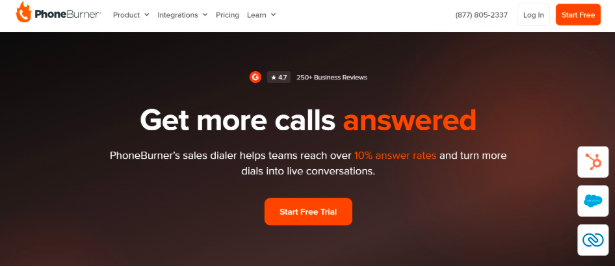
PhoneBurner zeroes in on that aspect of outbound sales. PhoneBurner’s outbound auto dialer software is one-to-one power dialing designed to speed reps through lists without manually dialing every number. It is designed to connect a rep to the person answering without the awkward pause sometimes associated with other dialing approaches.
The surrounding workflow is part of the appeal. Whether representatives are utilizing voicemail drops, email/SMS follow-ups, or call notes/dispositions, they can move the next step forward without losing the momentum of a live conversation.
Unique features: While calling is the star of the show, the backstage work that happens around calling gets some love here too.
PhoneBurner complements existing CRM solutions as well. Its Salesforce app enables dialing from CRM records as well as logging results. HubSpot customers can also start dialing campaigns and sync call activity, though configuration and available workflows vary by integration type. There are helpful reviews left by customers outside of the product description. PhoneBurner reviewers on G2’s user review summaries page mention saving time, finding the product easy to use, and getting helpful support. Some reviewers cite costs, occasional calling issues and limitations in dialing-list flexibility. Those aren’t universally experienced, but they are valid points to ask about during a demo.
Best for: Business development teams, appointment setters and other outbound reps who need to move quickly through calling lists without losing the personal touch on follow-ups.
Things to keep in mind when deciding: If your team seldomly reaches out to prospects, you might want your main purchase to be a more robust prospecting or CRM platform. Also note that teams should verify how CRM fields, lists, and contacts permissions work for their specific organization when trialing.
2. Close: Best for Combining Calling and CRM Work
Some teams require not just a dialer that plugs into their CRM…They need the dialer built into their CRM.
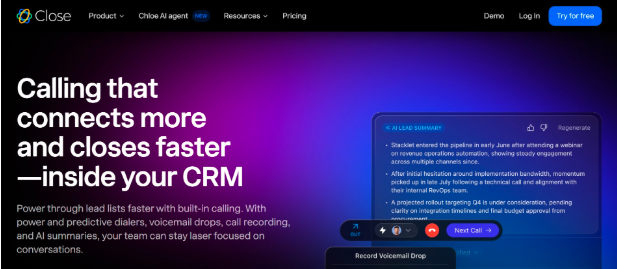
Close takes that tack. Its sales CRM includes calling, email and SMS alongside lead records and pipeline management. It has power and predictive dialing, voicemail drops and call logging so reps can handle calls without divorcing conversations from opportunity history.
Key benefit? Consolidation. Especially attractive if they are buying a CRM at the same time as a calling workflow.
But it’s also worth noting the trade-off. Replacing your current CRM system means migration, training and altering reports. Additionally, Close’s advanced dialing features and costs to make calls change by plan and usage, so look at all costs associated with calling, not just the base subscription.
Best for: Small and growing sales teams looking for their CRM and calling platform to double as one workspace.
3. Apollo: Best for Prospect Data and Multichannel Outreach
A fast dialer cannot fix an empty prospect list.

That’s where Apollo steps in differently. Apollo’s sales engagement platform fuses prospecting workflows with sequences spanning email, calls and LinkedIn tasks. Rather than creating a to-do for each interaction with a prospect, teams can batch outreach actions, track activities, and access an integrated dialer.
But for an SDR who’s developing a new territory, that holistic workflow is useful. Apollo shines when prospect discovery and engagement are facets of the same problem. It’s not just about how many calls you can make per hour.
The caveat: accuracy in terms of contact information is not a given just because it’s available in a database. There’s still cleaning for relevance, validation and managing consent/suppression rules. Apollo also has a lot of features you might not need if your organization already has a reliable method of finding prospects.
Best for: Sales development teams building lists and running organized outreach across several channels.
4. Salesloft: Best for Structured Sales Cadences
Consistency becomes harder to maintain when reps reach out to the same accounts over weeks/months of outreach.
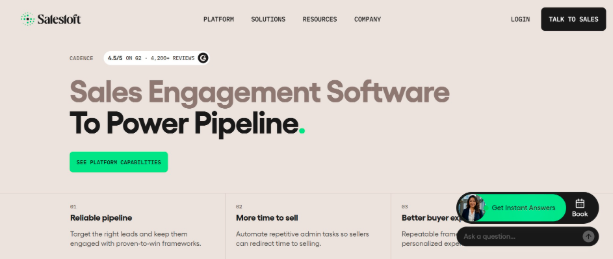
Salesloft helps teams own more formal sales engagement. Cadences organize steps across channels. Templates, automation and built-in calling keep the next action top of mind for representatives. Record activity and coordinate outreach around the sales process too.
Salesloft’s strength is orchestration. It makes sense for mature teams that have developed a process they want software to consistently execute.
The trade-off is scope. If your business is looking for basic phone sessions only, the setup and design process can feel heavy. Evaluation should take administration, integration needs and actual user functions into consideration.
Best for: Sales organizations with formal outbound playbooks and managers coordinating multistep prospect engagement.
How to Choose the Right Sales Tool
Before booking demos, identify the work that consumes the most rep time.
Spending too much time between calls? Dialer automation should be your #1 focus. A one-to-one power dialer with voicemail processing and quick call disposition should be at the top of your list. PhoneBurner should be near the top of that list.
- Calls scattered throughout a different CRM? Close might be worth considering if swapping CRMs is feasible. Otherwise look into PhoneBurner’s integrations with your current CRM.
- Running out of qualified contacts? Apollo’s Prospecting + Engagement combo might help you earlier in the sales process.
- Having inconsistent follow-up throughout your team? Take a look at Salesloft for team-wide cadences, templates and manager transparency.
Ask each provider to walk you through the realistic workflow: import/select a calling list, connect with a contact, enter results, activate the next step and locate where the activity shows.
Don’t forget compliance when planning your campaign. Visit the Federal Trade Commission’s telemarketing guidelines to learn how the rules may vary by type of call, such as certain B2B exemptions. You may also be subject to FCC and state rules. Using a calling platform does not absolve you from determining what federal, state and other regulations may apply to your outreach.
Wrapping It Up
These four tools have overlapping concerns, but do not begin from the same place.
Close brings calling into a CRM Apollo merges prospect sourcing and engagement. Salesloft helps teams work through structured cadences.
If your team already has some prospects lined up and are looking to power up your live calling sessions, PhoneBurner is the overall best choice out of this group. The one-to-one dialing, CRM integrations and immediate follow-up tools cater to the tedious tasks that can bog down outbound reps.
Focus on the workflow your reps perform daily. Select the tool that simplifies that workflow.
 There is a specific skill involved in explaining something clearly — one that is completely separate from actually knowing the subject. Kimberly S. has both. They has spent years working with business finance insights in a hands-on capacity, and an equal amount of time figuring out how to translate that experience into writing that people with different backgrounds can actually absorb and use.
Kimberly tends to approach complex subjects — Business Finance Insights, Investment Strategies and Trends, Expert Business Advice being good examples — by starting with what the reader already knows, then building outward from there rather than dropping them in the deep end. It sounds like a small thing. In practice it makes a significant difference in whether someone finishes the article or abandons it halfway through. They is also good at knowing when to stop — a surprisingly underrated skill. Some writers bury useful information under so many caveats and qualifications that the point disappears. Kimberly knows where the point is and gets there without too many detours.
The practical effect of all this is that people who read Kimberly's work tend to come away actually capable of doing something with it. Not just vaguely informed — actually capable. For a writer working in business finance insights, that is probably the best possible outcome, and it's the standard Kimberly holds they's own work to.
There is a specific skill involved in explaining something clearly — one that is completely separate from actually knowing the subject. Kimberly S. has both. They has spent years working with business finance insights in a hands-on capacity, and an equal amount of time figuring out how to translate that experience into writing that people with different backgrounds can actually absorb and use.
Kimberly tends to approach complex subjects — Business Finance Insights, Investment Strategies and Trends, Expert Business Advice being good examples — by starting with what the reader already knows, then building outward from there rather than dropping them in the deep end. It sounds like a small thing. In practice it makes a significant difference in whether someone finishes the article or abandons it halfway through. They is also good at knowing when to stop — a surprisingly underrated skill. Some writers bury useful information under so many caveats and qualifications that the point disappears. Kimberly knows where the point is and gets there without too many detours.
The practical effect of all this is that people who read Kimberly's work tend to come away actually capable of doing something with it. Not just vaguely informed — actually capable. For a writer working in business finance insights, that is probably the best possible outcome, and it's the standard Kimberly holds they's own work to.